Klean!Fit / Klean!Star
57800040 (05/26)
57800040 (05/26)
 Read these original operating instructions and the enclosed safety instructions before using the device for the first time. Proceed accordingly.
Keep both books for future reference or for future owners.
Observe the applicable national regulations.
Observe the safety instructions of the washing bay.
Indication of an imminent threat of danger that will lead to severe injuries or even death.
Indication of a potentially dangerous situation that may lead to severe injuries or even death.
Indication of a potentially dangerous situation that may lead to minor injuries.
Indication of a potentially dangerous situation that may lead to damage to property.
 The packing materials can be recycled. Please dispose of packaging in accordance with the environmental regulations.
 Electrical and electronic devices contain valuable, recyclable materials and often components such as batteries, rechargeable batteries or oil, which - if handled or disposed of incorrectly - can pose a potential danger to human health and the environment. However, these components are required for the correct operation of the device. Devices marked by this symbol are not allowed to be disposed of together with the household rubbish.
Current information on content materials can be found at: www.kaercher.de/REACH
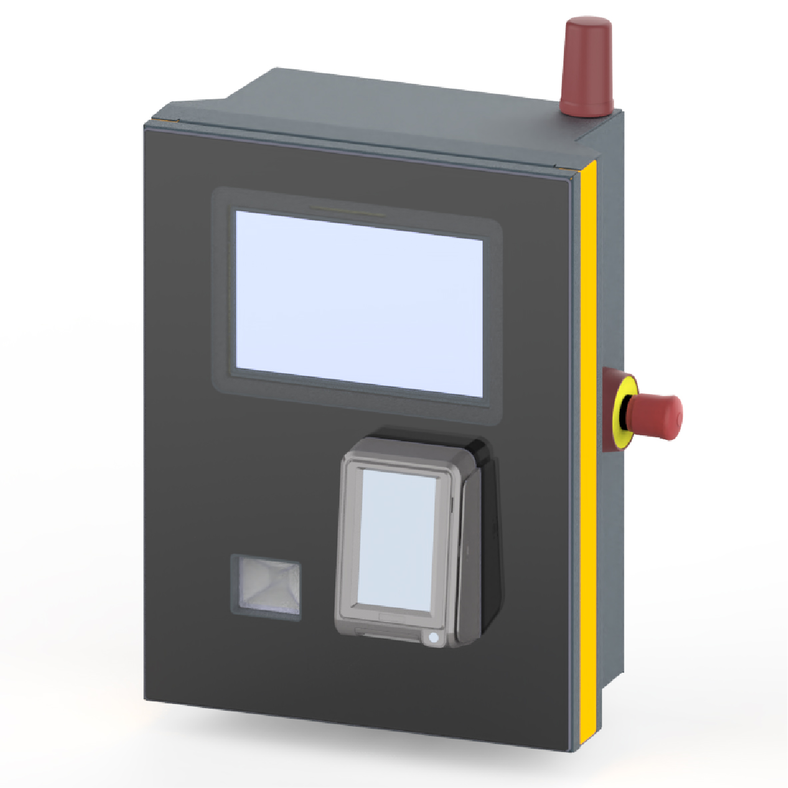
The K!Control control panel is used for the operation of automatic self-service washing bays by the user.
The K!Control control centre performs the following functions:
Starting / paying for a wash programme on the touchscreen
Interrupting the program
Continue programme
Stopping the washing bay with the emergency stop button in case of danger.
The K!Control starting device is connected to the washing bay via a network cable. The receipt is displayed directly via a QR code when payment is made on the starter device or issued at the checkout PC when purchasing in the shop.
Only use original accessories and original spare parts. They ensure that the appliance will run fault-free and safely.
Information on accessories and spare parts can be found at www.kaercher.com.
The Klean!Fit / Klean!Star control point can be mounted on an adjustable stand or on a wall. Further information can be found in the installation instructions.
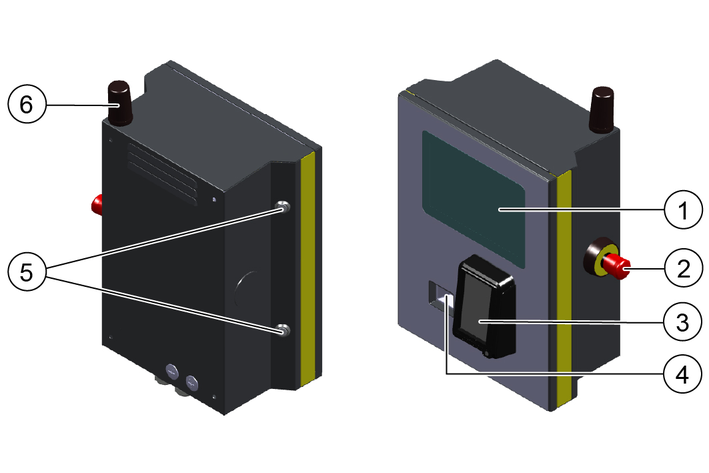
*optional
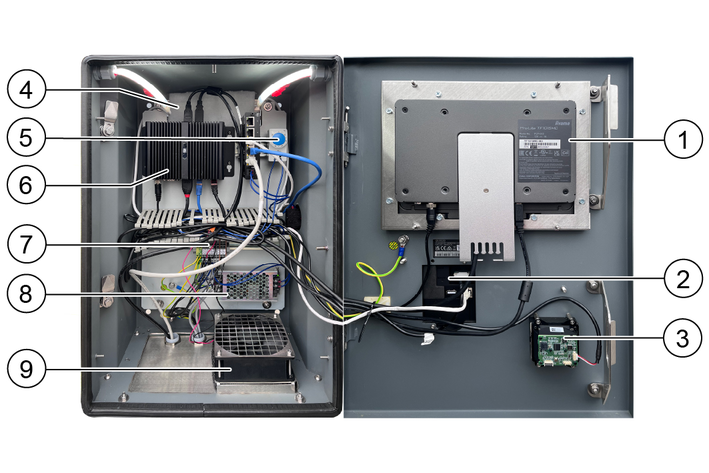
*optional
Press the emergency off button.
The washing bay stops immediately.
Carry out initial startup in accordance with the service documents.
If the washing bay is operable, the following messages appear on the touchscreen:
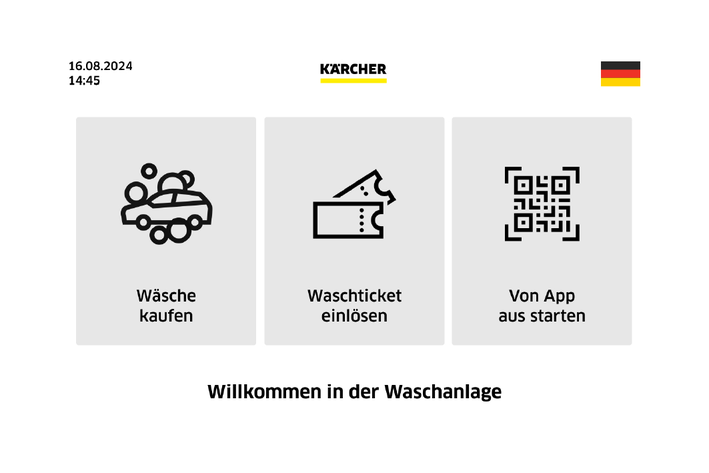
The illustration can vary depending on the equipment.
Illustration with full equipment.
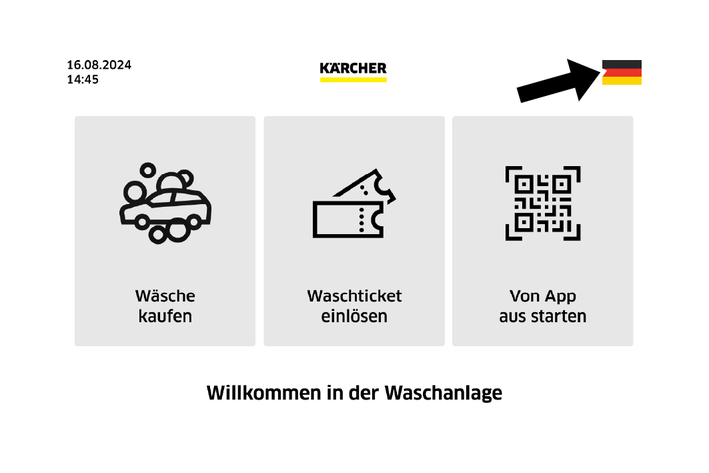
Tap the flag.
The next language is displayed.
Selecting the language.
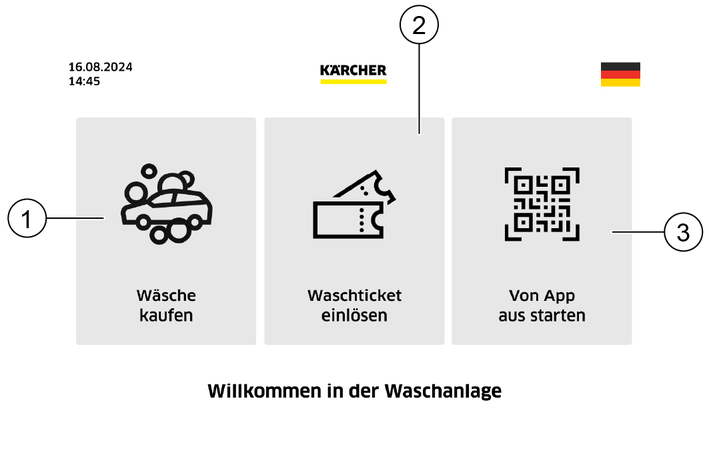
Start menu
Select the desired programme start in the start menu by tapping the respective button.
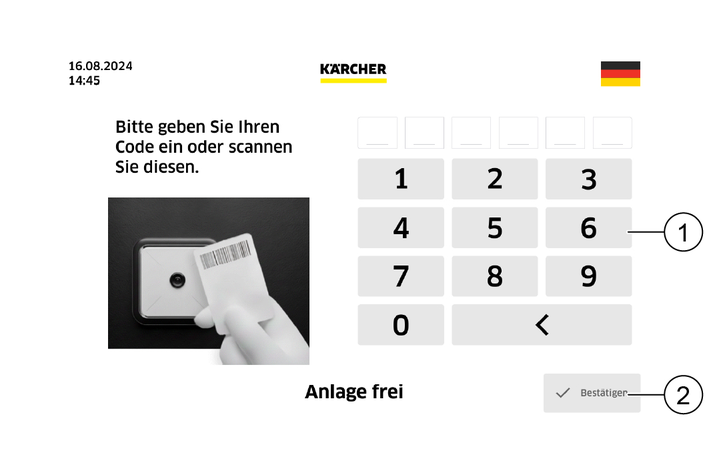
Scan the code or enter the code using the keypad and tap the "Confirm" button.
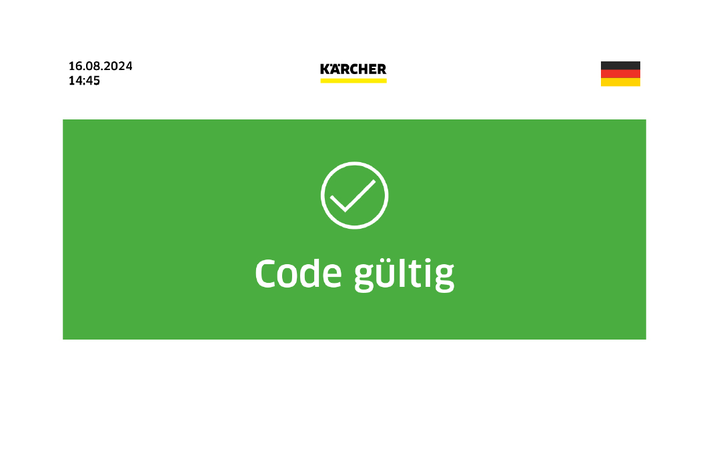
If the code is entered correctly, the message "Code valid" appears on the display.
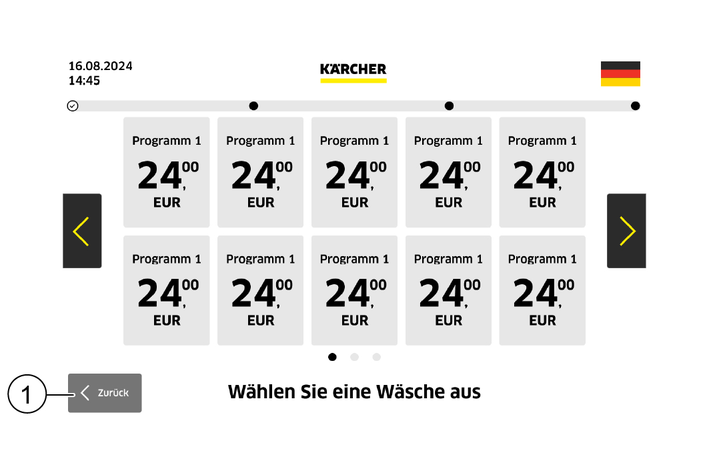
Select a washing program.
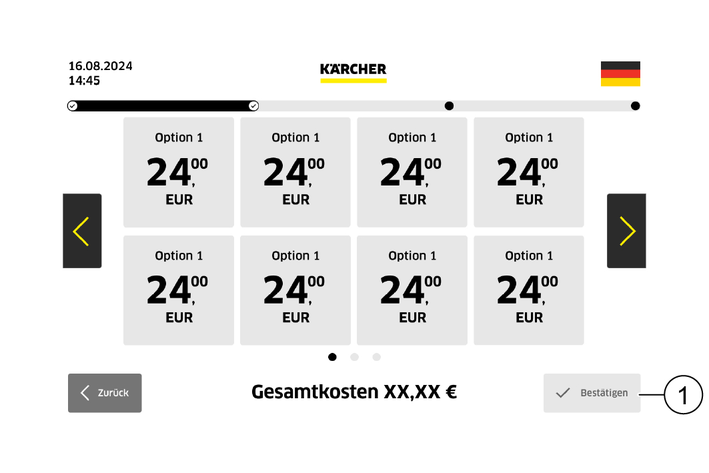
Select the additional option and tap the "Confirm" button.
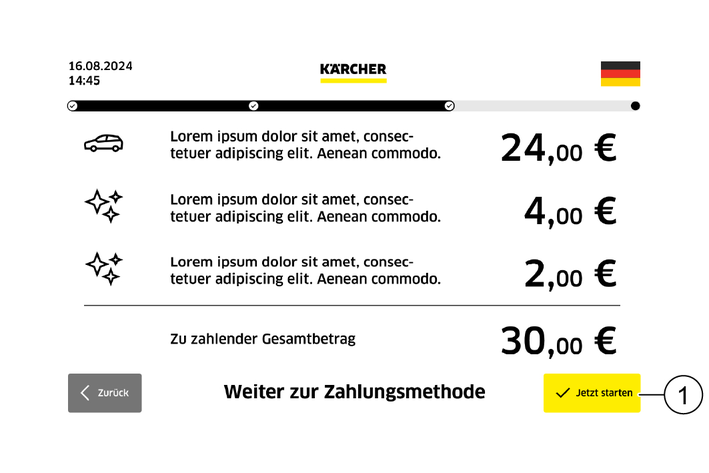
Check your selection and start the payment process by tapping the "Start now" button.
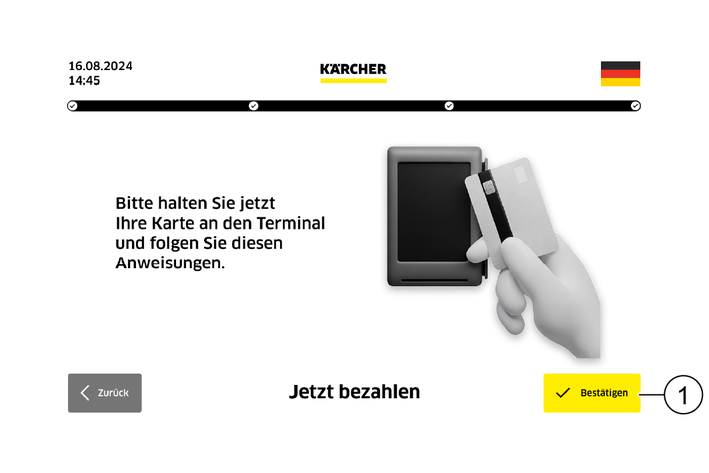
Hold the card up to the terminal and follow the instructions.
Complete the payment process by tapping the "Confirm" button.
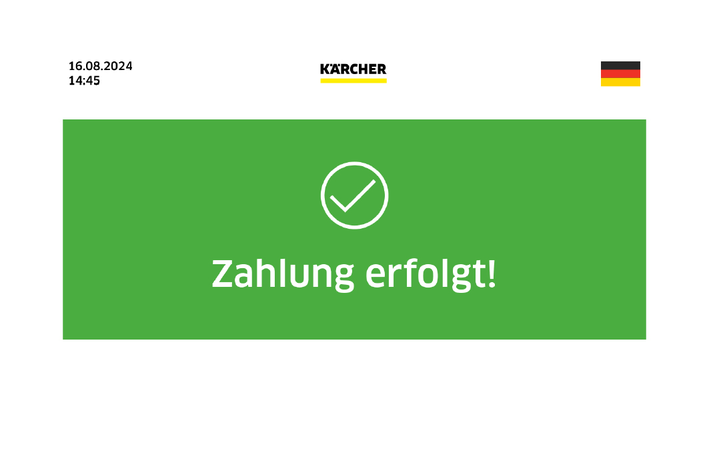
The message "Payment made!" appears on the display.
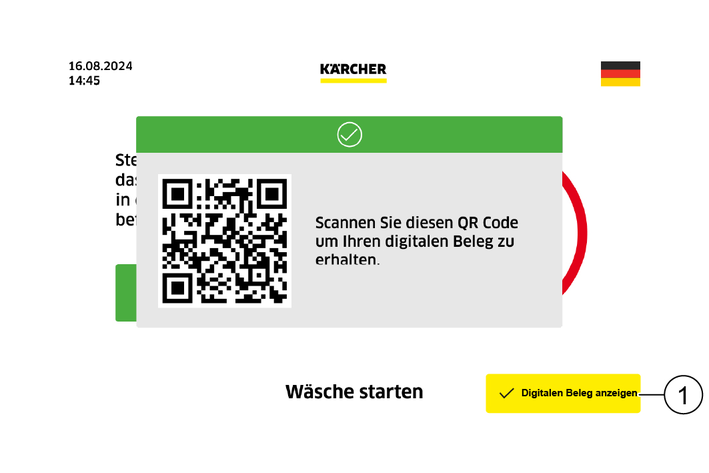
Request a digital receipt by tapping the "Show digital receipt" button.
Scan the QR code and receive a digital receipt.
Follow the further steps in the menu.
The customer can choose to remain seated in the vehicle during the washing process.
The washing process starts automatically after entering the car wash.
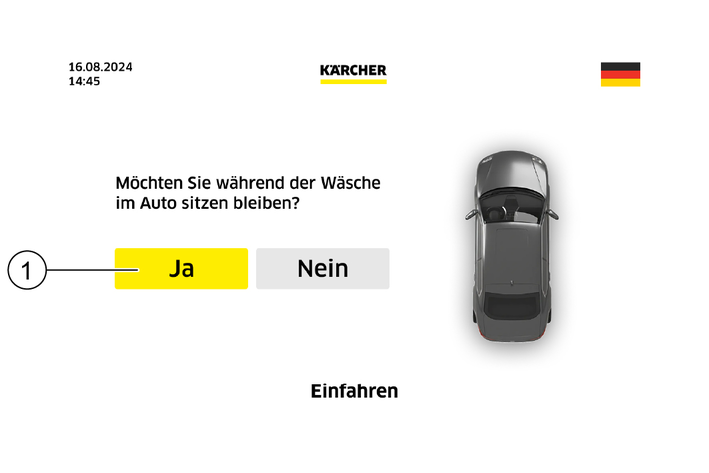
Tap the "YES" button on the touchscreen.
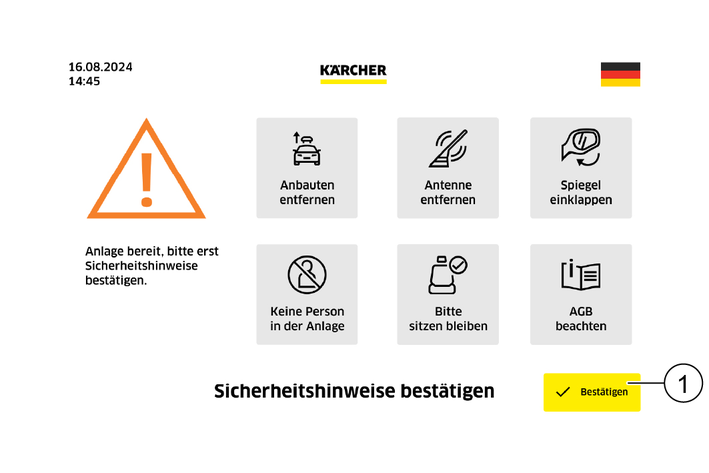
Read the safety instructions.
Confirm that you have read the safety instructions by tapping the "Confirm" button.
Follow the next steps in the menu until the end of the washing programme.
The washing process is started manually by pressing the start button outside the washing bay.
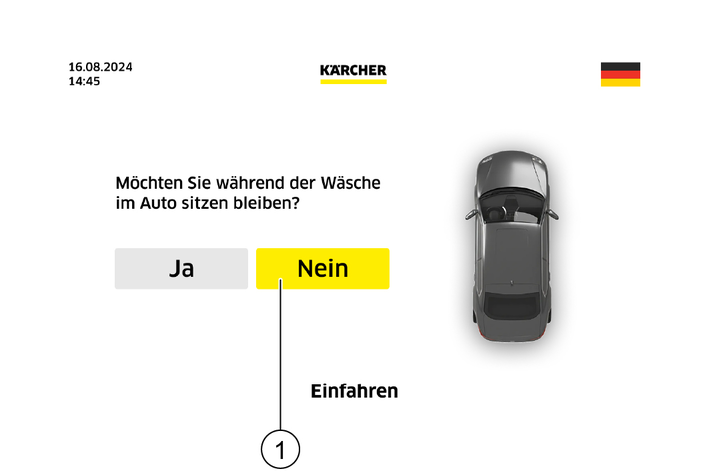
Tap the "NO" button on the touchscreen.
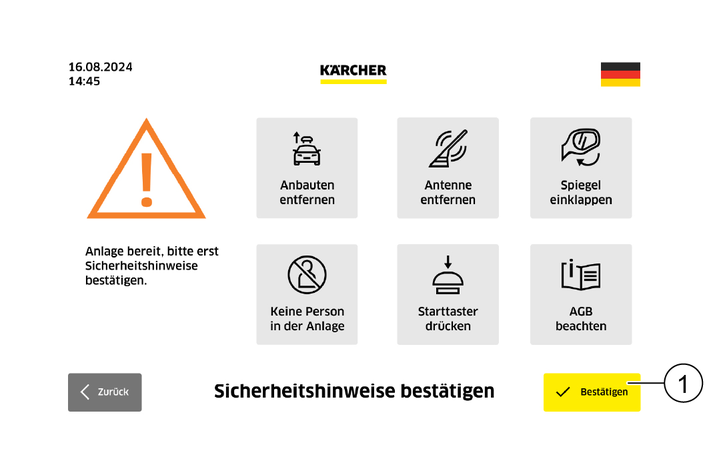
Read the safety instructions.
Confirm that you have read the safety instructions by tapping the "Confirm" button.
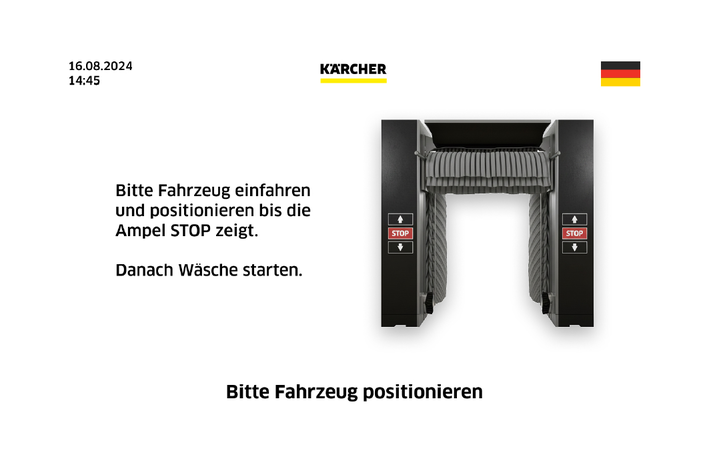
Drive the vehicle forwards into the washing bay and align it as instructed by the positioning lights.
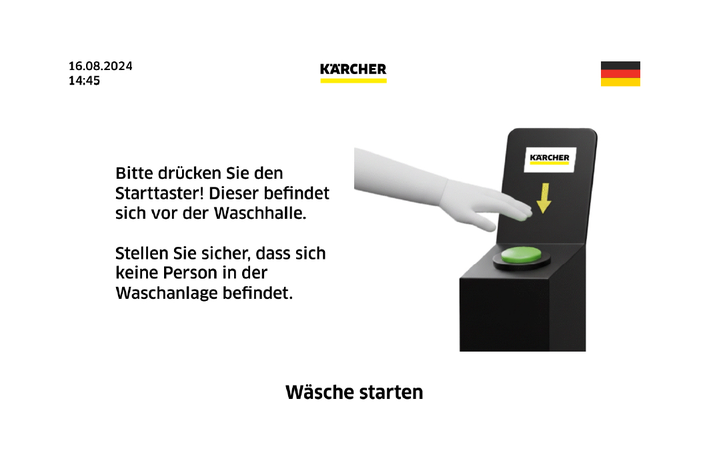
Ensure that nobody is in the washing bay.
Start the wash by pressing the start button in front of the washing bay.
Follow the next steps in the menu until the end of the washing programme.
Regular maintenance according to the following maintenance plan is fundamental for a safely operating system.
Use only original manufacturer spare parts or parts recommended by the original manufacturer.
Press the emergency stop button while the washing bay is running and check whether the system stops.
Check cable for damage, call customer service if necessary.
The warranty conditions issued by our relevant sales company apply in all countries. We shall remedy possible malfunctions on your appliance within the warranty period free of cost, provided that a material or manufacturing flaw is the cause. In a warranty case, please contact your dealer (with the purchase receipt) or the next authorised customer service site.
Further information can be found at: www.kaercher.com/dealersearch
Further warranty information (if available) can be found in the service area of your local KÄRCHER website under "Downloads".
Fault messages are shown on the touchscreen.
System faults are described in the operating instructions for the washing bay.
Error code | Error description | Error correction |
Collective fault (the fault code of the system is always displayed). |
| |
System outside operating hours |
| |
Manual mode active |
| |
E 5001 | Frost protection active. |
|
E 5034 | Incorrect washing programme. Additional light sensor for vans in the washing hall at programme start is occupied. |
|
F 0508 | Safety distance, front left. |
|
F 0509 | Safety distance, side / rear left. |
|
F 0510 | Safety distance, front right. |
|
F 0511 | Safety distance, side / rear right. |
|
F 0512 | Vehicle width, left. |
|
F 0513 | Vehicle width, right. |
|
F 0514 | Water cabinet door open. |
|
F 0515 | Main cabinet door open. |
|
F 0579 | Horn sensor at Drive-In has triggered. Washing programme interrupted. |
|
F 10001 | No internet available. |
|
F 20001 | No data connection to the washing bay. |
|