2.644-592.0
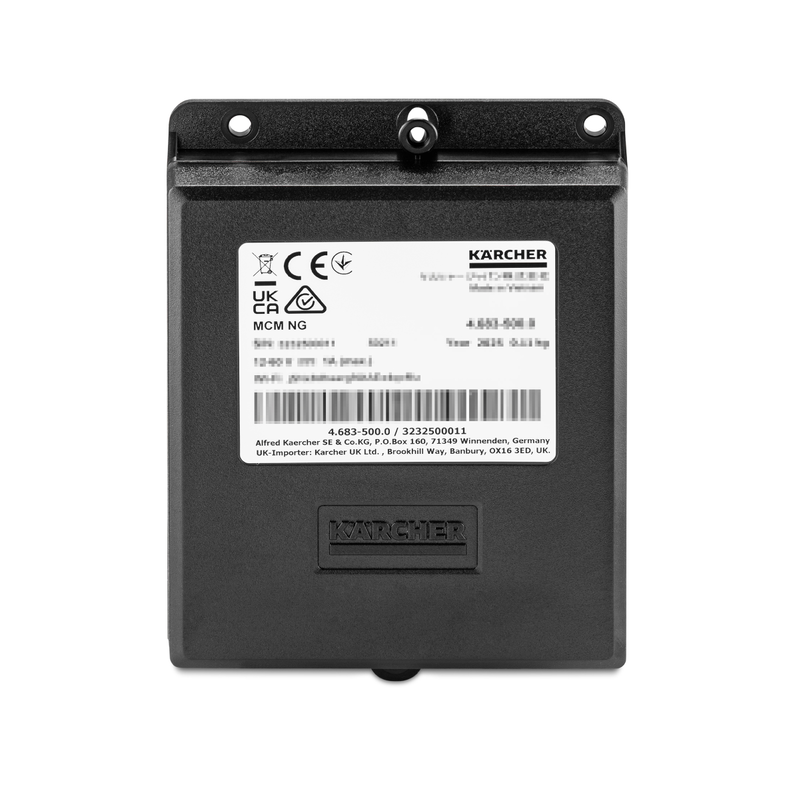
00842180 (03/26)
00842180 (03/26)
Before installation, please read these installation instructions and the safety instructions, as well as the machine’s operating instructions and safety instructions. Please follow these instructions.
Please keep the assembly instructions, operating instructions and safety instructions for future reference or for any future owners.
Installation, servicing and maintenance work must only be carried out by suitably qualified and specially trained technical staff.
Attach the MCM NG to the machine so that it is at least 20 cm away from the machine operator.
Indication of an imminent threat of danger that will lead to severe injuries or even death.
Indication of a potentially dangerous situation that may lead to severe injuries or even death.
Indication of a potentially dangerous situation that may lead to minor injuries.
Indication of a potentially dangerous situation that may lead to damage to property.
Risk of asphyxiation. Keep packaging film out of the reach of children.
Only use the device for its proper use. Take into account the local conditions and beware of third parties, in particular children, when working with the device.
The device is not intended for use by persons with restricted physical, sensory or mental abilities or those lacking in experience and / or lacking in knowledge.
Only people who have been instructed on how to use the device, or have proven their ability to operate it, and have been explicitly instructed to use it, must use the device.
Children must not operate the device.
Children must be supervised to prevent them from playing with the appliance.
Safety devices are provided for your own protection. Never modify or bypass safety devices.
The service interface is to be used by authorized Kärcher service technicians, only.
Risk of damage!
Improper installation of the attachment kit may result in damage to and malfunction of the device / machine / vehicle and the attachment kit.
For safety reasons and to preserve warranty and guarantee claims, only have the attachment kit installed by Kärcher Service.Risk of damage due to electrostatic discharge (ESD)!
Electrostatic discharge (ESD) can damage electronic components.
Take suitable measures to discharge the electrostatic charge before all work on the device electronics.Risk of damage due to sharp-edged objects and soiling!
Sharp-edged or dirty objects can cause damage such as scratches, notches, and deformations when in contact with components. Dirty tools, cloths, and work surfaces can cause irreversible stains and colour changes.
Only use suitable, undamaged, and clean tools and aids, and act with caution. Place components and devices only on clean, padded surfaces.Risk of damage due to improperly installed cables and hoses!
Improperly installed lines and hoses can cause damage, malfunctions and failures of parts or device / machine / vehicle.
Do not kink lines and hoses and do not subject them to tension, compression or torsion.Ensure that the lines and hoses are routed so that they are free from chafing and at a sufficient distance from hot components, and do not run them over corners or edges or over sharp or pointed parts.Do not fall below the smallest permissible bending radii.If necessary, fasten the lines and hoses with suitable means, do not restrict the required degrees of freedom.Lay and secure cables and hoses so that they are not crushed or compressed and do not come into contact with rotating parts such as wheels, rollers, rollers, brushes, etc.The MCM NG (Machine Connect Module Next Generation) can be used to transfer data to and from the machine
for remote diagnosis
for remote maintenance
about their use
Data can be transferred via mobile phone networks or Wi-Fi.
The customer can object to the data transfer.
These installation instructions describe the installation and initial startup of the MCM NG in various machines.
These installation instructions apply to the attachment kit:
2.644-592.0
Illustrations are for illustrative purposes only; colours and details may vary.
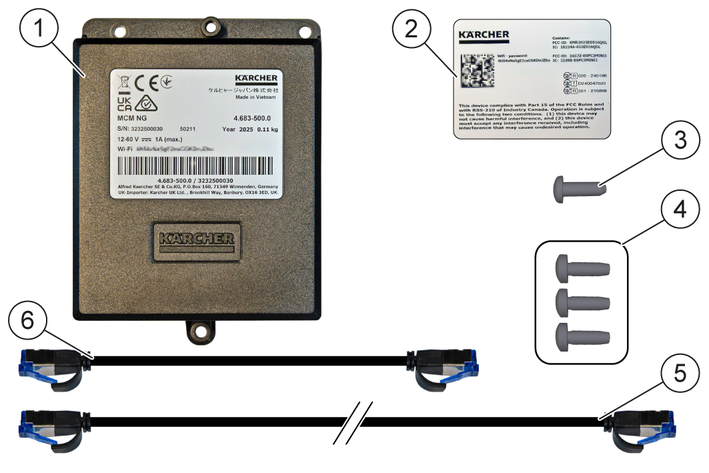
Description | Quantity | Part number |
|---|---|---|
MCM NG | 1 | 4.683-500.0 |
Wi-Fi password sticker | 1 | 5,039–866.0 |
4x12 screw | 1 | 7.303-095.0 |
M4x12 screw | 3 | 7.303-032.0 |
Long patch cable | 1 | 6.882-003.0 |
Short patch cable | 1 | 6.882-004.0 |
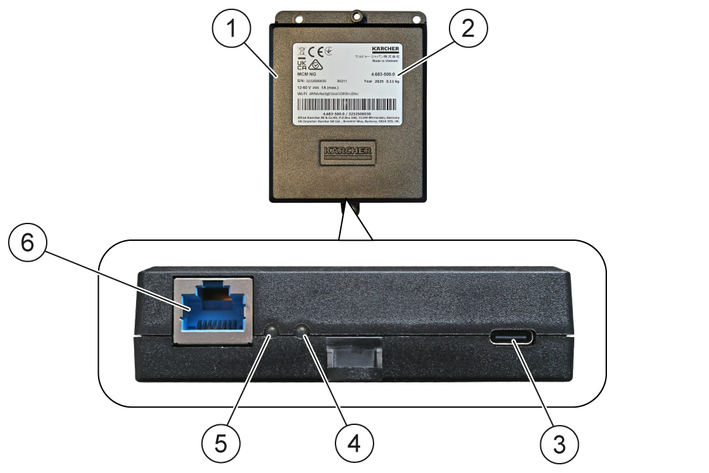
LED | Status | Meaning |
LED-1 | Lights up red | Initialisation is in progress (may take up to 90 seconds). |
Flashes red for 1 second, then orange for 1 second | The machine has been detected. | |
Lights up orange * | The machine and the MCM NG are linked. | |
LED-2 | Lights up red | The SIM card has been detected. |
| Lights up orange * | A network is available (mobile network or Wi-Fi). | |
or | ||
| Lights up green * | Data transfer to and from the cloud. | |
* Operating status
Place the machine on a level, horizontal surface.
Disconnect the machine from the power supply:
Switch off the machine.
Unplug the charger mains plug from the mains socket.
Disconnect the battery connector.
Or:
Remove the battery terminal from the negative terminal of the battery; see the service manual.
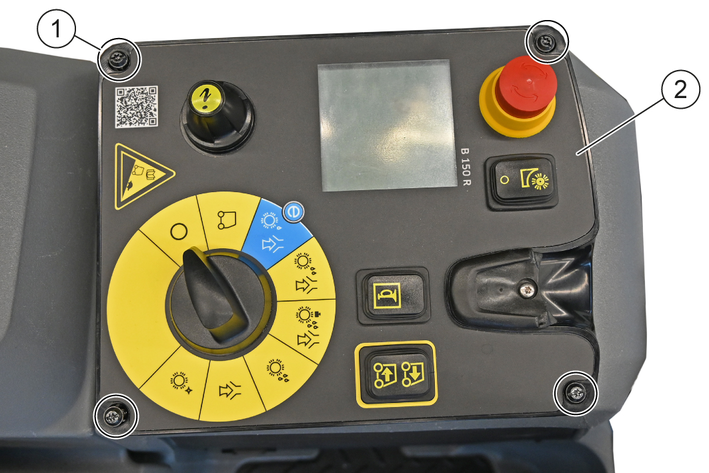
To release the control panel:
Unscrew the screws.
Lift the control panel and carefully set it aside, keeping the electrical cables connected.
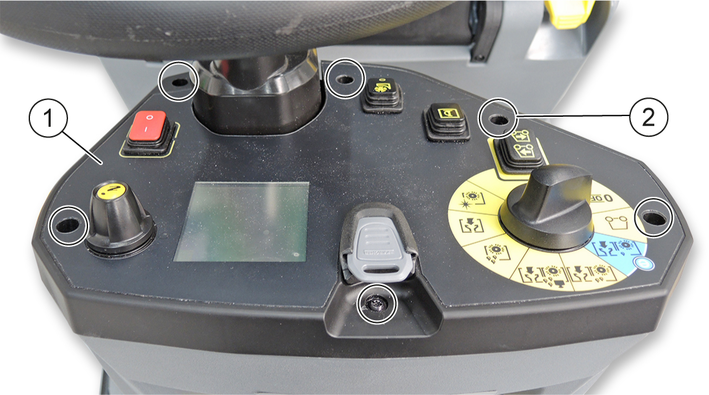
To release the control panel:
Unscrew the screws.
Lift the control panel and carefully set it aside, keeping the electrical cables connected.
Remove the rubber mat.
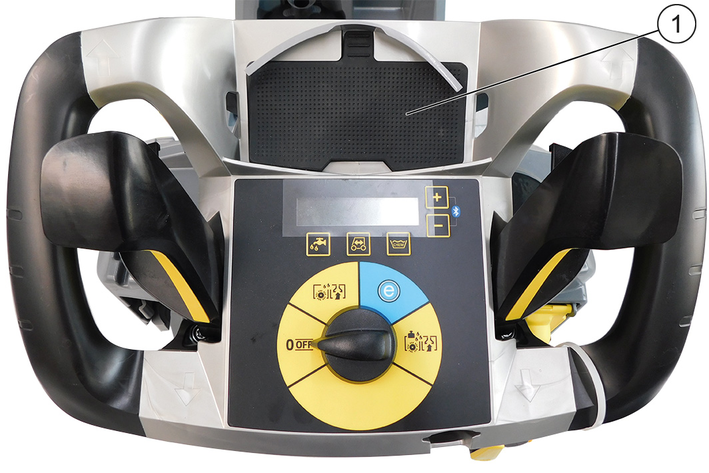
Shown: B 50 W
Unscrew the screws.
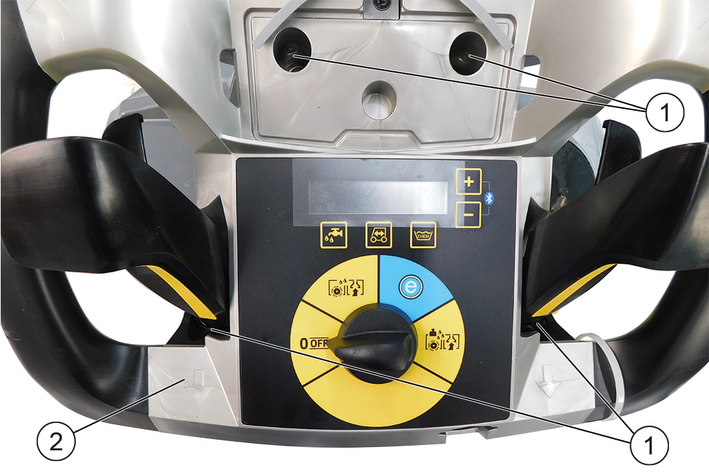
Lift the control panel and, with the electrical cables connected, carefully position it vertically.
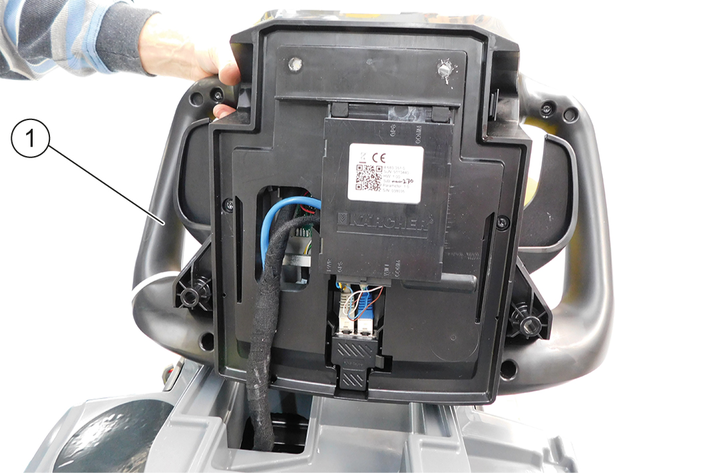
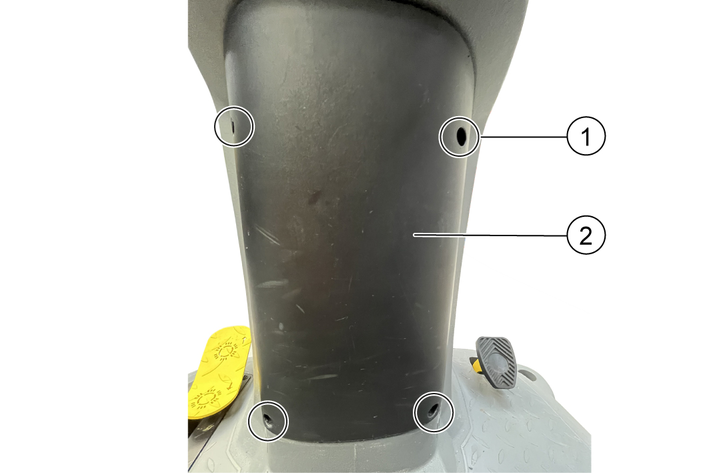
Loosen the cover:
Unscrew the screws.
Carefully remove the cover if electrical cables are connected.
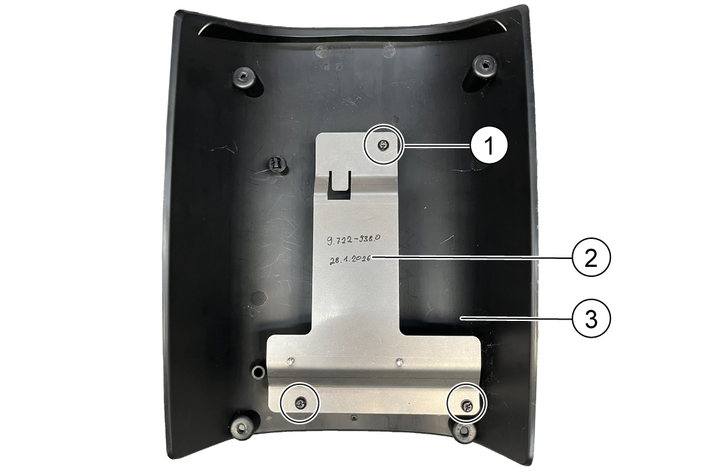
Remove the retaining plate.
Unscrew the screws.
Remove the retaining plate.
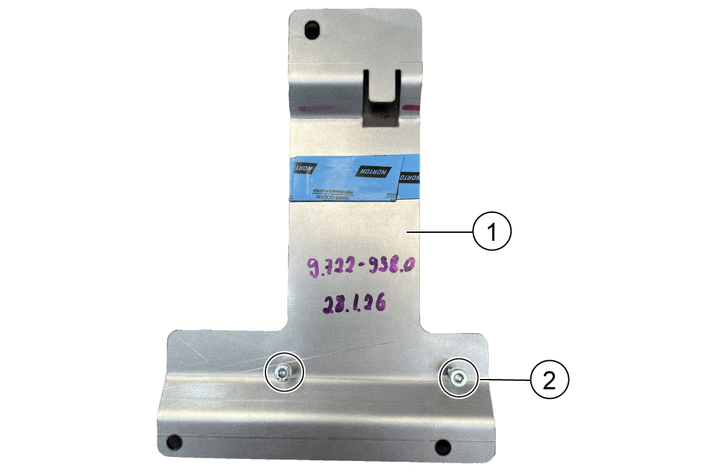
Prepare the retaining plate
Unscrew the screws.
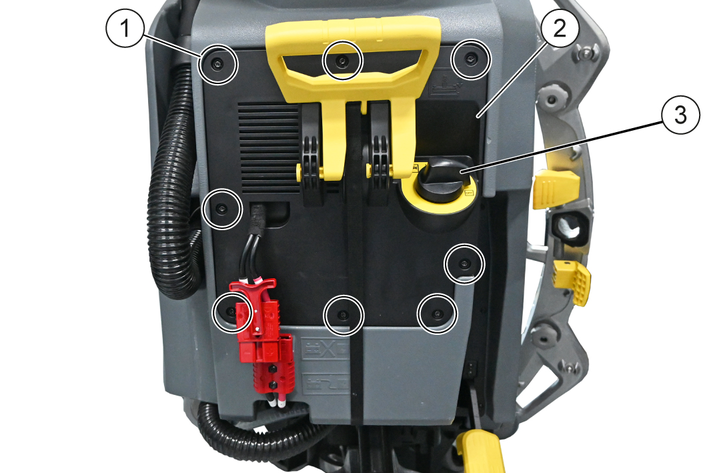
Remove the rear cover
Remove the rear cover:
Pull out the water control knob.
Unscrew the screws.
Carefully fold the rear cover down.
Shown: BD 50/55 C
Releasing the control panel
Unscrew the bolts on the left and right sides of the machine.
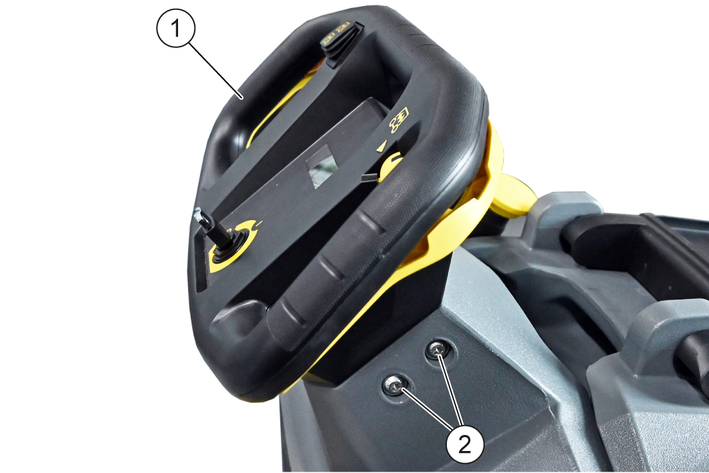
Lift the control panel and, with the electrical cables still connected, carefully tilt it forwards.
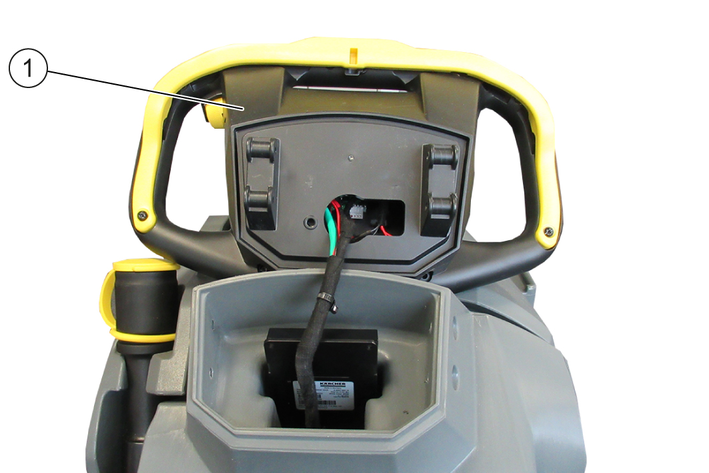
If necessary: Remove an existing module along with the retaining plate.
Reuse the retaining plate and the screws.
Otherwise, use a new retaining plate (5.039-431.0) and 2 new screws (7.303-108.0).
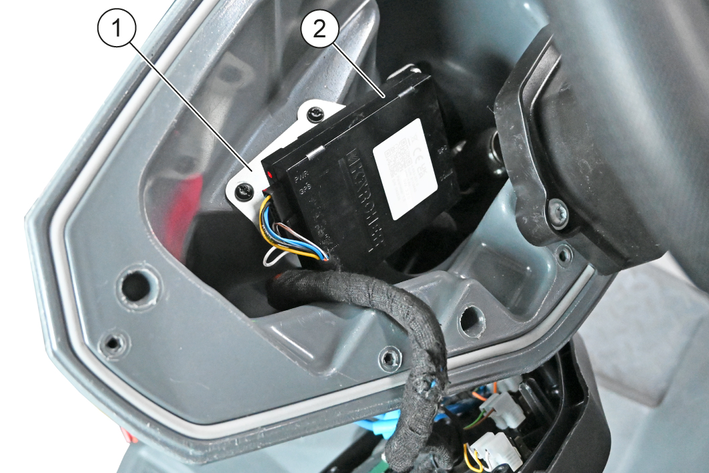
Attach the MCM NG to the mounting plate using three M4x12 screws.
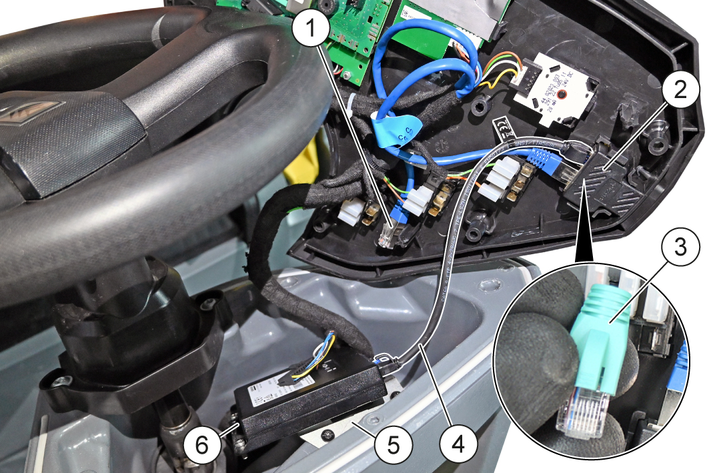
Attach the retaining plate to the machine using two 5x20 screws.
Fitting the short patch cable:
Unplug the patch cable from an existing module at the dual socket and slide it to the side.
Or:
Disconnect the resistor from the twin socket.
The resistance is omitted.
Plug the short patch cable into the RJ45 socket on the MCM NG and into the dual socket.
Do not attach the control panel to the machine until after initial startup, so that you can check the status of LED-1 and LED-2.
Screw the MCM NG into the mounting bracket beneath the control panel using an M4x12 screw.
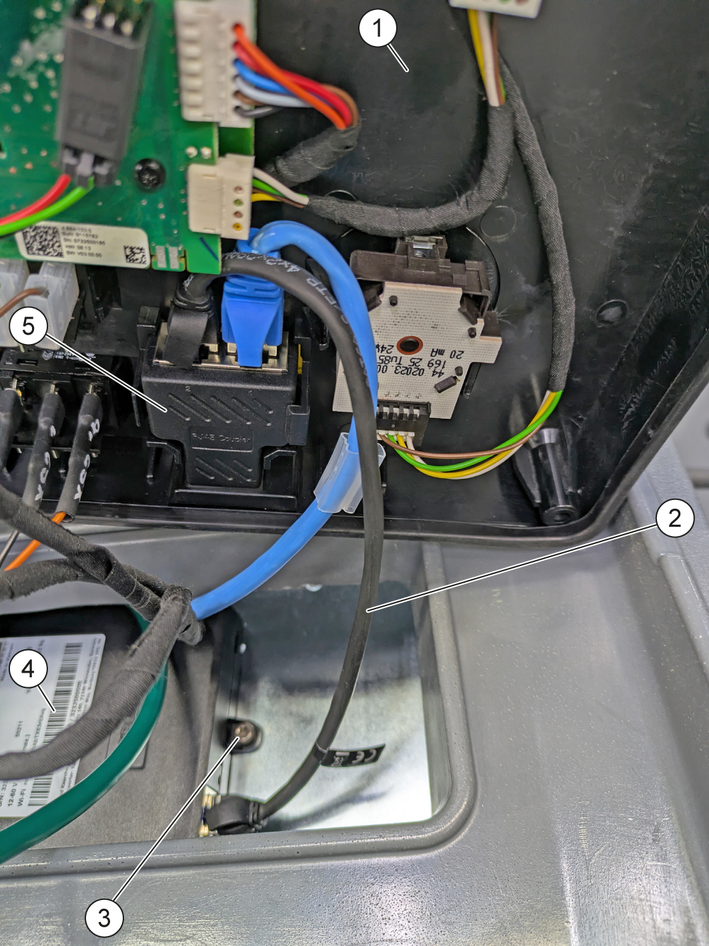
Plug the short patch cable into the RJ45 socket on the MCM NG and into the dual socket.
Do not attach the control panel to the machine until after initial startup, so that you can check the status of LED-1 and LED-2.
If necessary: Remove an existing module.
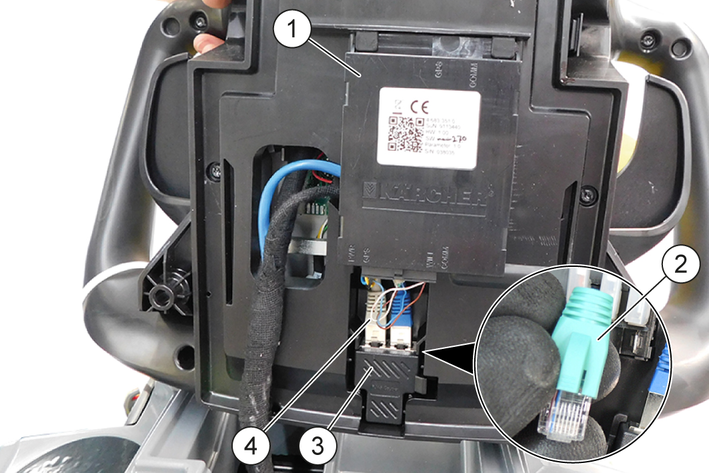
Plug the short patch cable into the dual socket:
Unplug the patch cable from an existing module at the dual socket.
Or:
Disconnect the resistor from the twin socket.
The resistance is omitted.
Plug the short patch cable into the dual socket.
Plug the short patch cable into the RJ45 socket on the MCM NG.
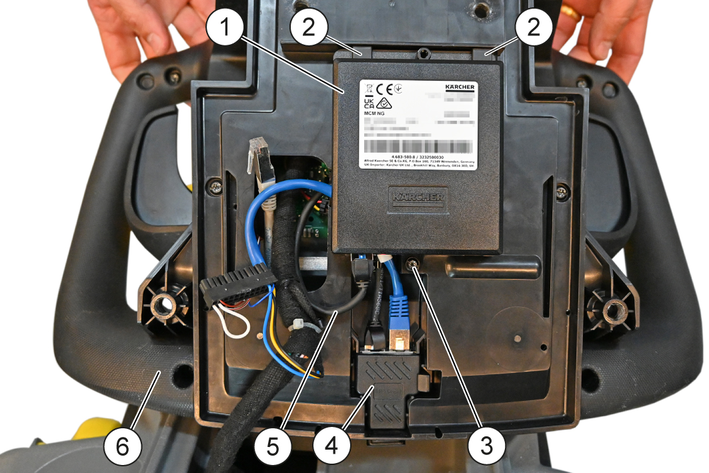
Position all electrical cables and Plugs on the control panel and slide the MCM NG under the retaining clips.
Mount the MCM NG to the control panel using an M4x12 screw.
Place the control panel on the machine.
Do not attach the control panel to the machine until after initial startup, so that you can check the status of LED-1 and LED-2.
If necessary: Remove an existing module with the retaining plate.
Reuse the retaining plate and the screws.
Otherwise, use a new retaining plate (9.722-938.0) and 2 new screws (7.303-108.0).
Slide the MCM NG onto the retaining plate.
Mount the MCM NG onto the retaining plate using 2 screws (M4x12).
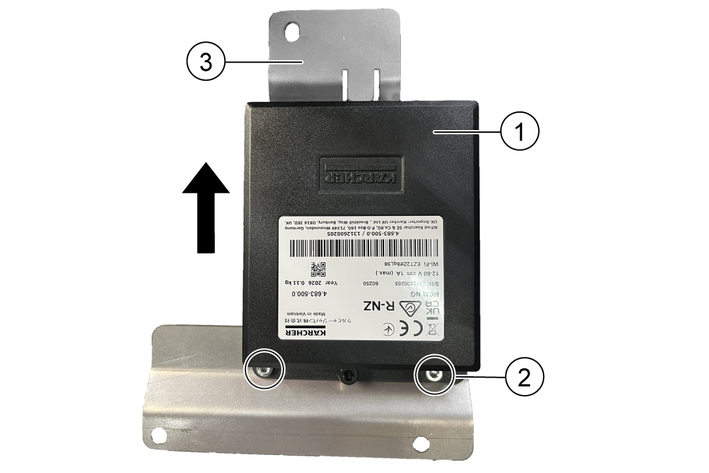
Mount the retaining plate with the MCM NG onto the cover using 3 screws (M4x12).
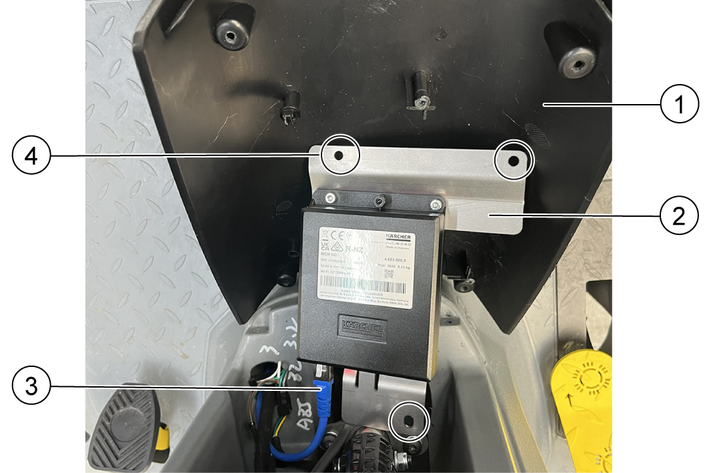
Plug the patch cable into the RJ45 socket of the MCM NG.
Mount the cover onto the machine using 4 screws (M5x20).
Only attach the cover to the machine after initial startup in order to be able to check the status of LED-1 and LED-2.
If necessary: Remove an existing module.
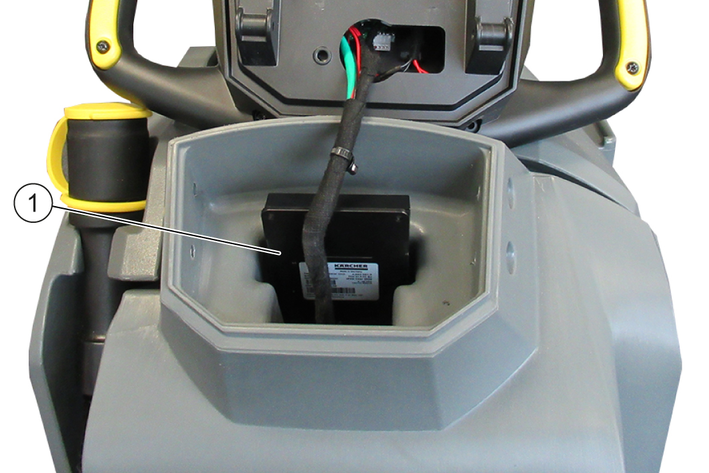
Plug the long patch cable into the RJ45 socket on the MCM NG.
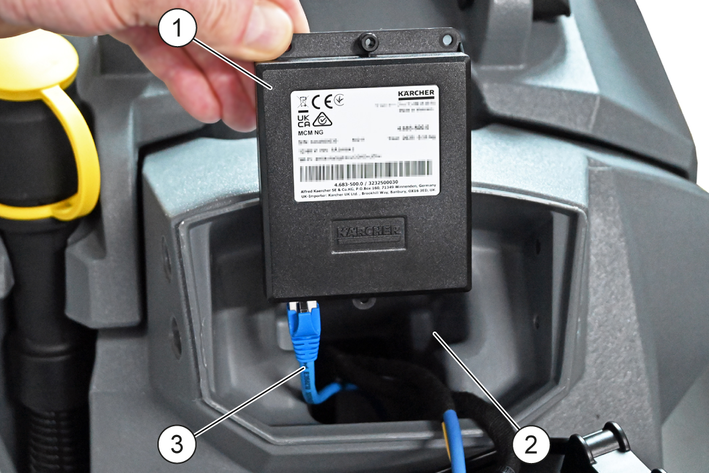
Feed the long patch cable down through the module socket.
Do not insert the MCM NG into the module socket until after initial startup, so that you can check the status of LED-1 and LED-2.
Plug the long patch cable into the dual socket:
If necessary: Unplug the patch cable from an existing module at the dual socket.
Or:
Disconnect the resistor from the twin socket.
The resistance is omitted.
Plug the long patch cable into the double socket.
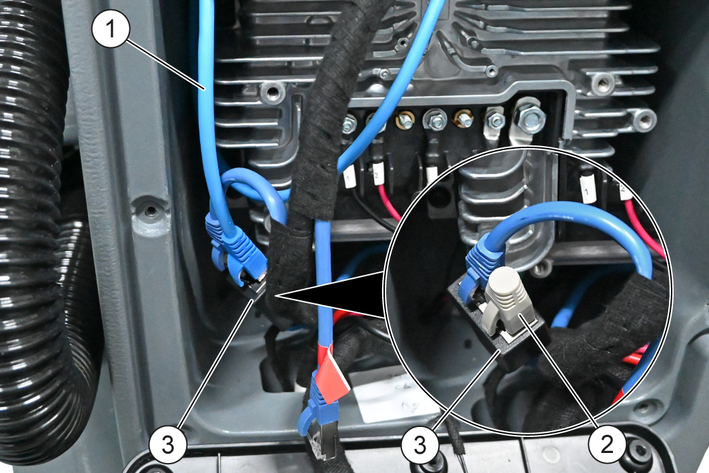
Do not attach the control panel and the rear cover to the machine until after initial startup.
Connect the machine to the power supply:
Connect the two halves of the battery connector.
Or:
Fit the battery terminal to the negative terminal of the battery; see the service manual.
Risk of damage due to overvoltage when working with the Charger connected.
Damage to electronic components
Unplug the Charger from the Mains socket before working on the machine.Unplug the charger mains plug from the mains socket.
Switch on the machine.
Wait for the MCM NG to initialise (this may take up to 90 seconds).
LED 1 is lit up red, see LED status.
The MCM NG is integrated into the machine software.
Start the KÄRCHER Diag.
Enter the Wi-Fi password when prompted; see the sticker for the Wi-Fi password.
The KÄRCHER Diag connects to the MCM NG via Wi-Fi.
Check whether the MCM NG has been fully integrated into the machine software:
LED-1 and LED-2 must indicate the operating status; see LED status.
The material and serial numbers of the MCM NG must be displayed under “MCM NG Settings”.
The MCM NG must be shown as “connected”.
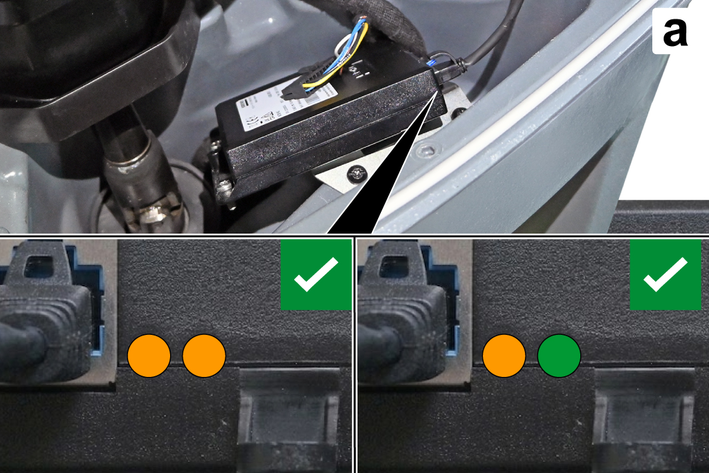
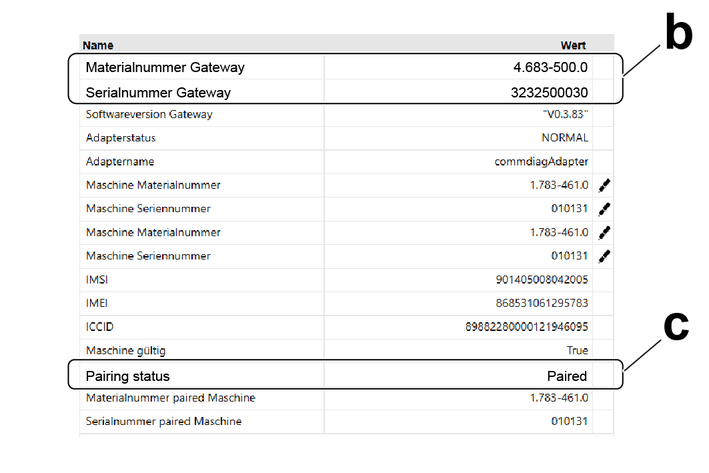
If initial startup fails:
Exit the KÄRCHER Diag.
Switch off the machine.
Restart the MCM NG.
If required, and provided the customer has requested it: assign the machine to the customer’s account on the KCC Support Portal.
Stick the Wi-Fi password sticker near the machine's rating plate.
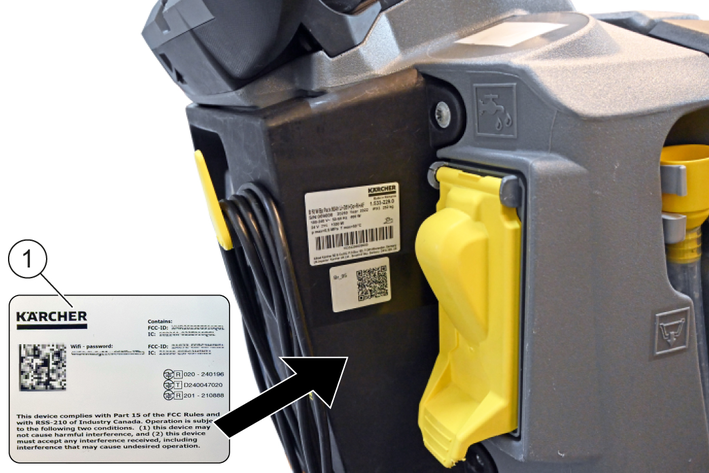
Shown: B 50 W
Refit or reinstall the parts that were loosened or removed to expose the installation space in the reverse order; see Preparatory work.
Product | Transmission type | Frequency (MHz) | Power max. EIRP (max. mW) |
|---|---|---|---|
MCMNG | Wi-Fi | 2412–2472 | 19 |
Product | Transmission type | Frequency (MHz) | Power max. EIRP (max. mW) |
|---|---|---|---|
MCMNG | Cellular | ||
Band 1 | 1920–1980 | 275 | |
Band 2 | 1850–1910 | 275 | |
Band 3 | 1710–1785 | 275 | |
Band 4 | 1710–1755 | 275 | |
Band 5 | 824–849 | 275 | |
Band 7 | 2500–2570 | 275 | |
Band 8 | 880–915 | 275 | |
Band 12 | 699–716 | 275 | |
Band 13 | 777–787 | 275 | |
Band 18 | 815–830 | 275 | |
Band 19 | 830–845 | 275 | |
Band 20 | 832–862 | 275 | |
Band 25 | 1850–1915 | 275 | |
Band 26 | 814–849 | 275 | |
Band 28 | 703–748 | 275 | |
Band 34 | 2010–2025 | 275 | |
Band 38 | 2570–2620 | 275 | |
Band 39 | 1880–1920 | 275 | |
Band 40 | 2300–2400 | 275 | |
Band 41 | 2496–2690 | 275 | |
Band 66 | 1710–1780 | 275 |
Device data | |
Input voltage range | 12...60 V |
Maximum current draw | 1 A |
Network technology | Mobile networkWi-Fi |
Dimensions and weights | |
Weight | 0.110.24 kglbs |
Length x Width x Height | 122x88x23.34.8x3.46x0.92 mmin |
Ambient conditions | |
Permissible temperature range | -10...7014...158 °C°F |

Do-not-print-17339